The code editor by Ovear · macOS & Windows
Every change, in harmony.
Harmony is a fast, familiar code editor with a complete Git forge built in, fully offline, and Claude on call when you want it. Your code never leaves your laptop.
or, from a terminal: harmony .
One app, three voices
A trio, not a toolbox.
Most teams stitch together an editor, a code host and an AI assistant, then spend their days switching between them. Harmony plays all three parts in one window, on one machine.
-
The Editor
The engine inside VS Code, in a calmer room.
-
The Hub
Repositories, proposals, issues and releases. No server required.
-
Claude
A collaborator that stays off until you invite it.
The Editor
Feels like home on the first keystroke.
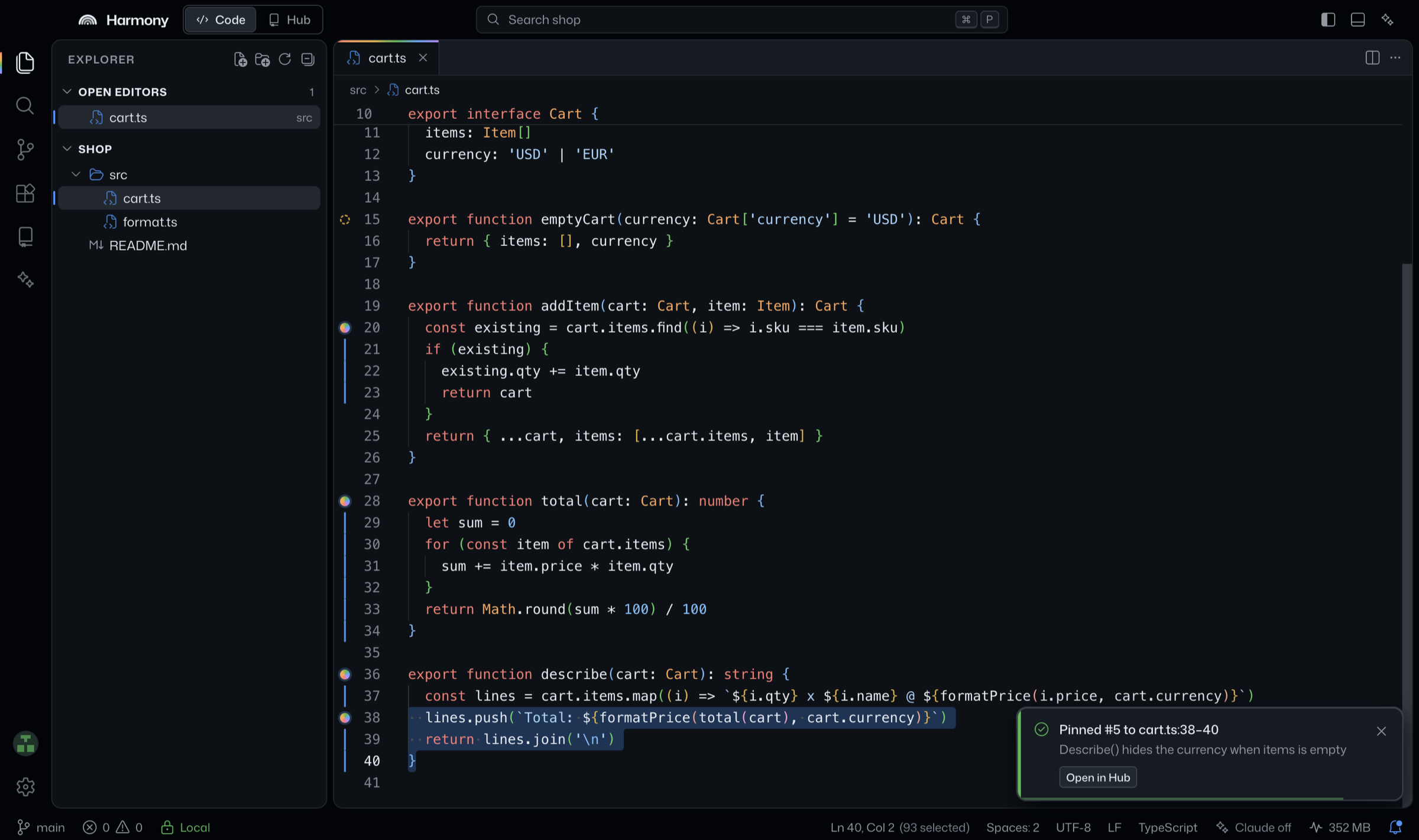
Harmony is built on Monaco, the engine inside VS Code, dressed in GitHub’s VS Code colors with an airy islands layout. Your muscle memory comes with you: the same keybindings, the same command palette, the same quick open.
- Tabs and split editors
- Command palette and quick open
- Project-aware TypeScript IntelliSense
- Search and replace across files
- An integrated terminal
- Source Control with a timeline for every file
- ⌘PQuick open
- ⇧⌘PCommand palette
- ⇧⌘HCode ↔ Hub
- ⌘LClaude chat
- ⌘\Split editor
⌘ is Ctrl on Windows.
Harmony Hub
Your whole forge. Fully offline.
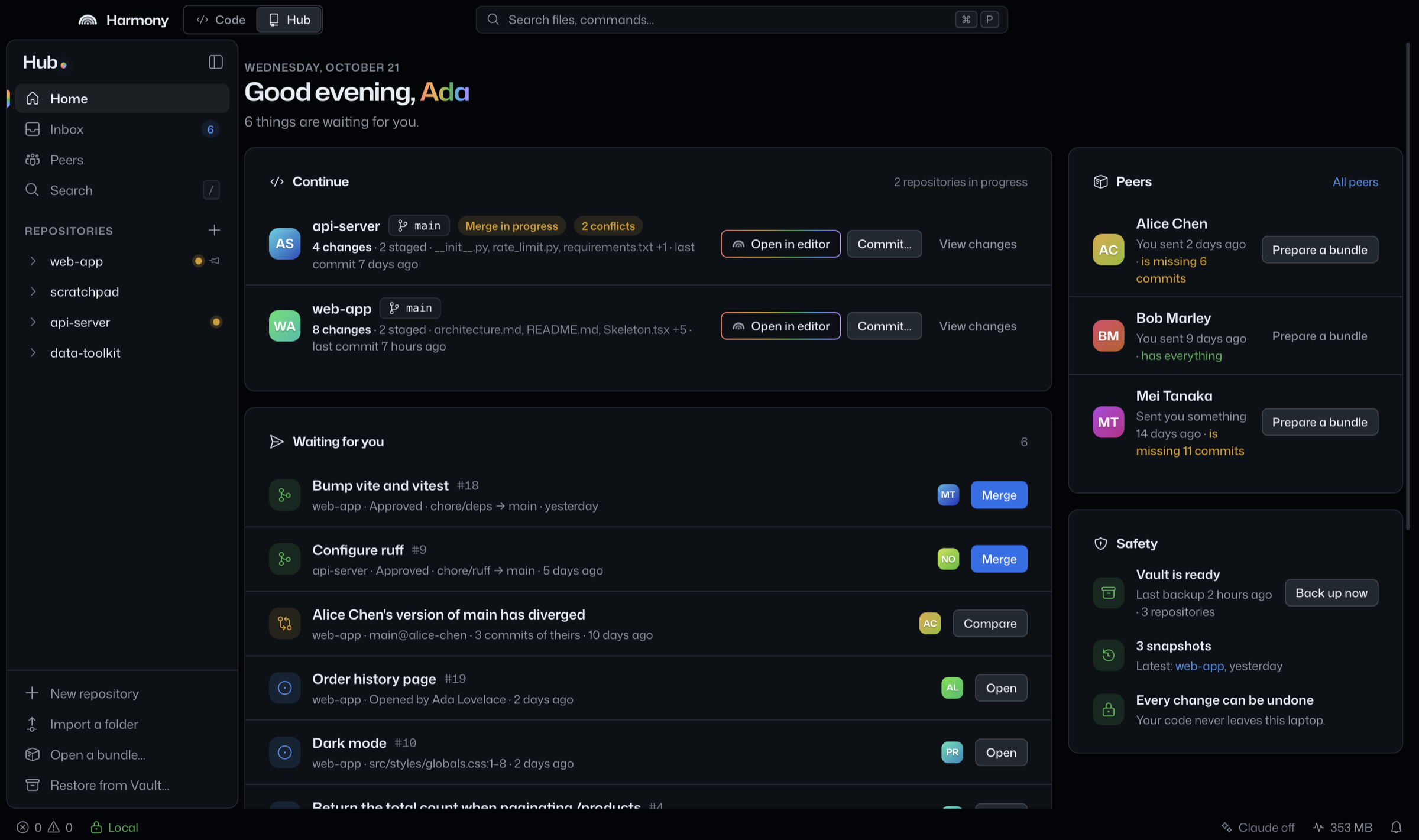
The Hub is a complete home for your repositories and the people you share them with: files and history, proposals, issues, releases, docs and boards. It runs in an isolated process with no network code at all.
Feature spotlight
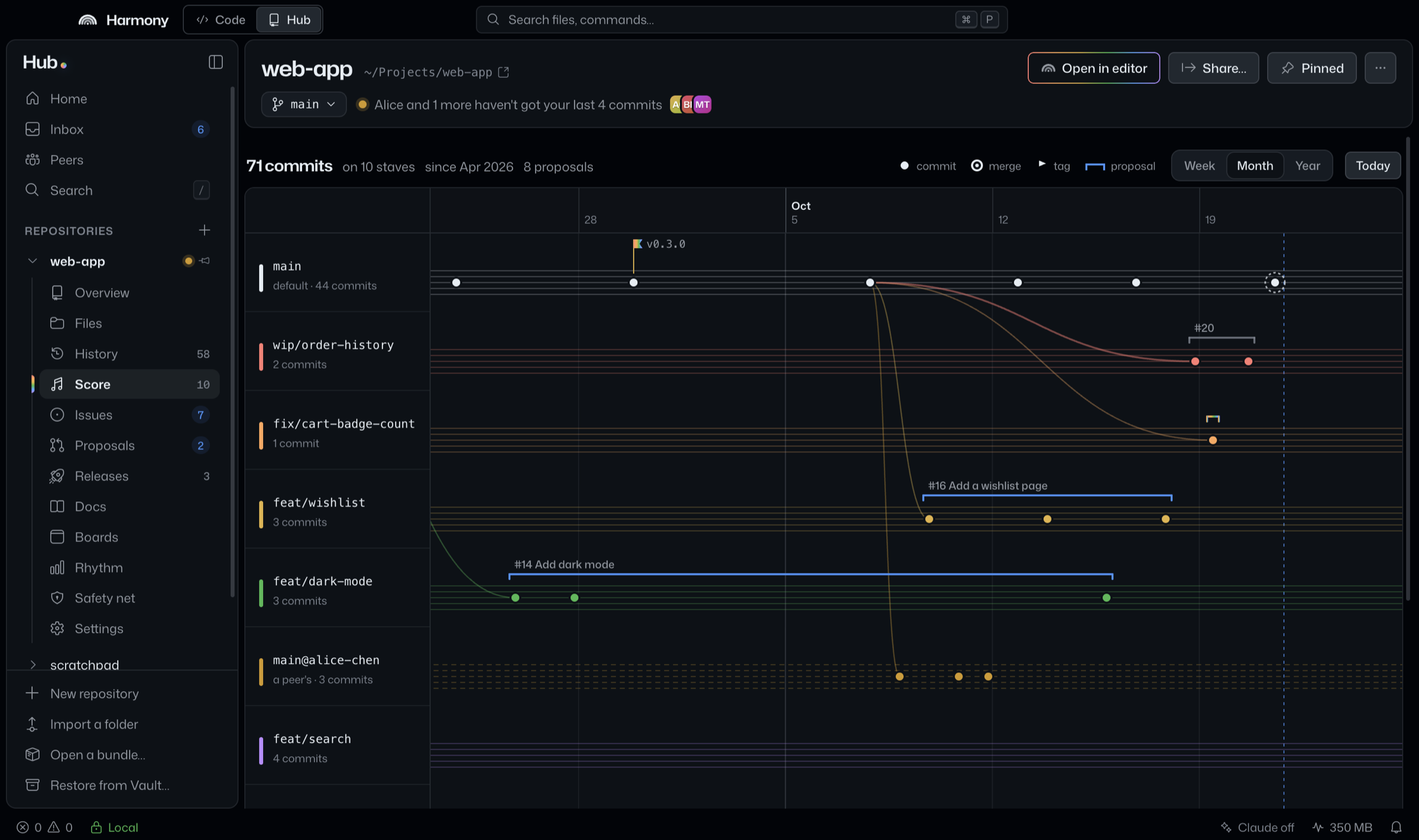
The Score
Your branches, drawn as staves. See where work split off, where it came back together, and what’s still in rehearsal.
-
Proposals
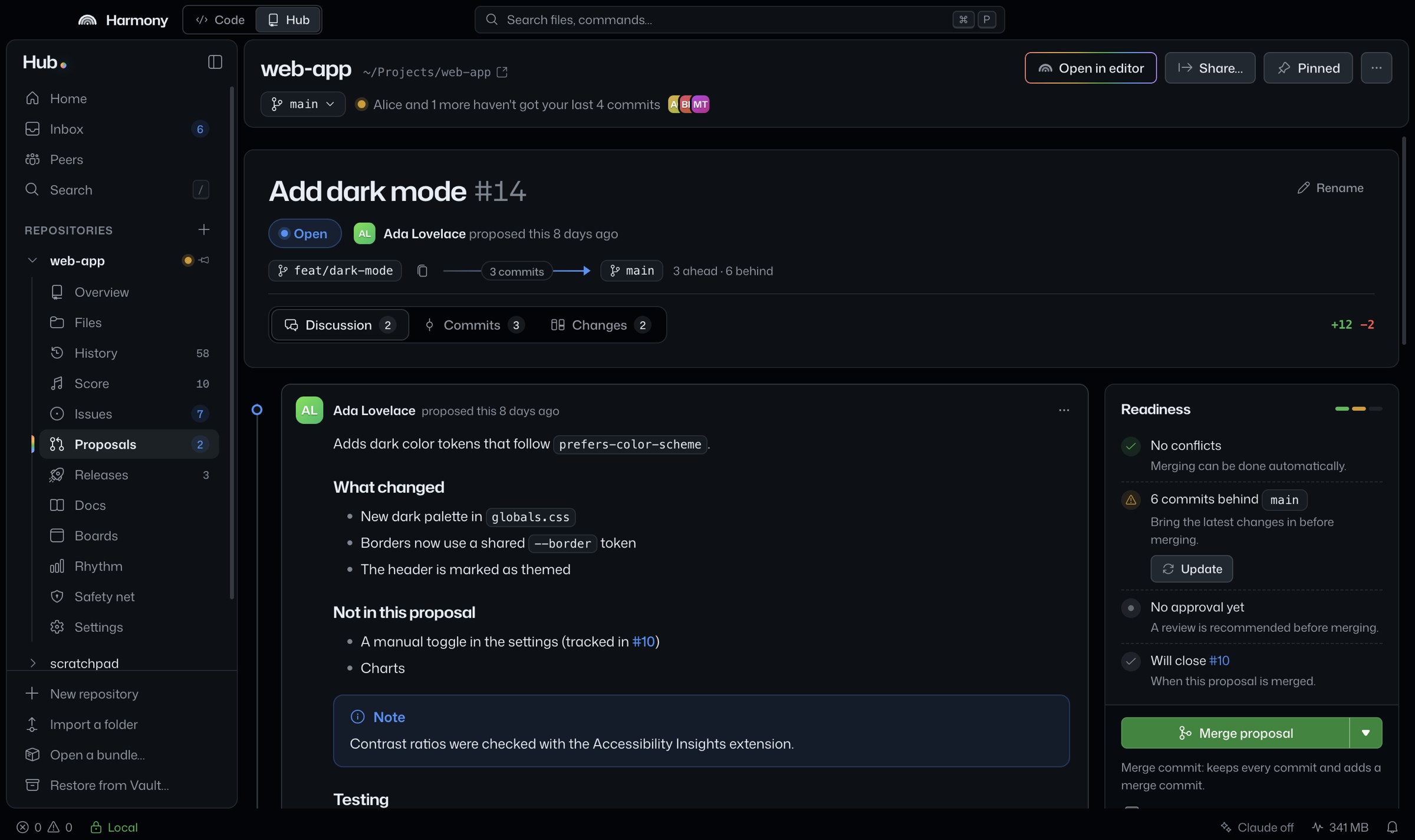
Reviews, line comments, a readiness checklist, then merge, squash or rebase.
-
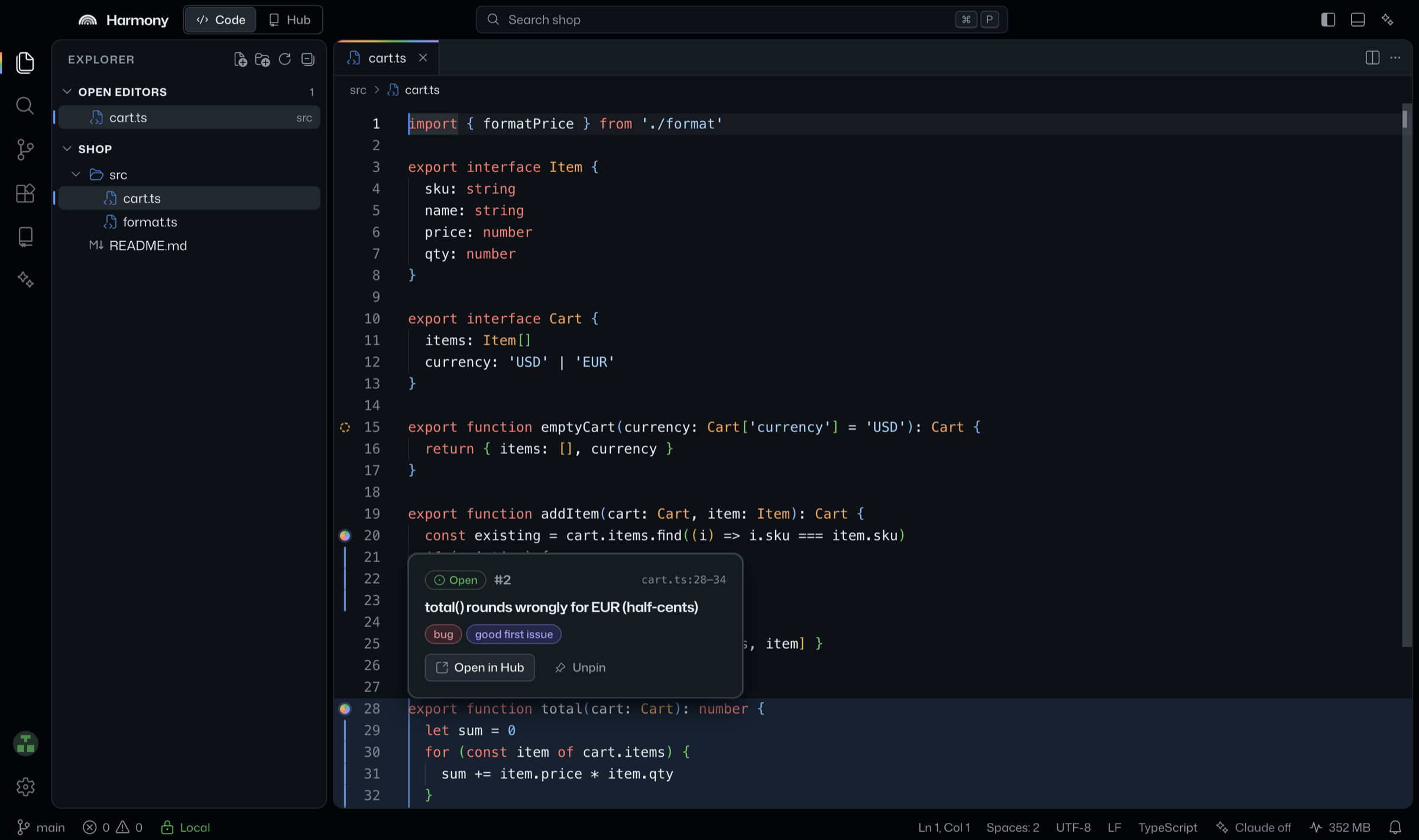
Issues pinned to code
Select lines, file an issue, and it stays in the gutter next to the code it’s about.
-
Releases and milestones
Tag versions, write the notes, and track what ships next.
-
Docs and boards
A versioned wiki and boards that live inside the repository.
-
Plain Git underneath
Every repository is an ordinary
.gitfolder. Copy the folder and you copy everything. -
Search everything
Press / for code, issues, proposals and docs, all from one box.
Fearless by default
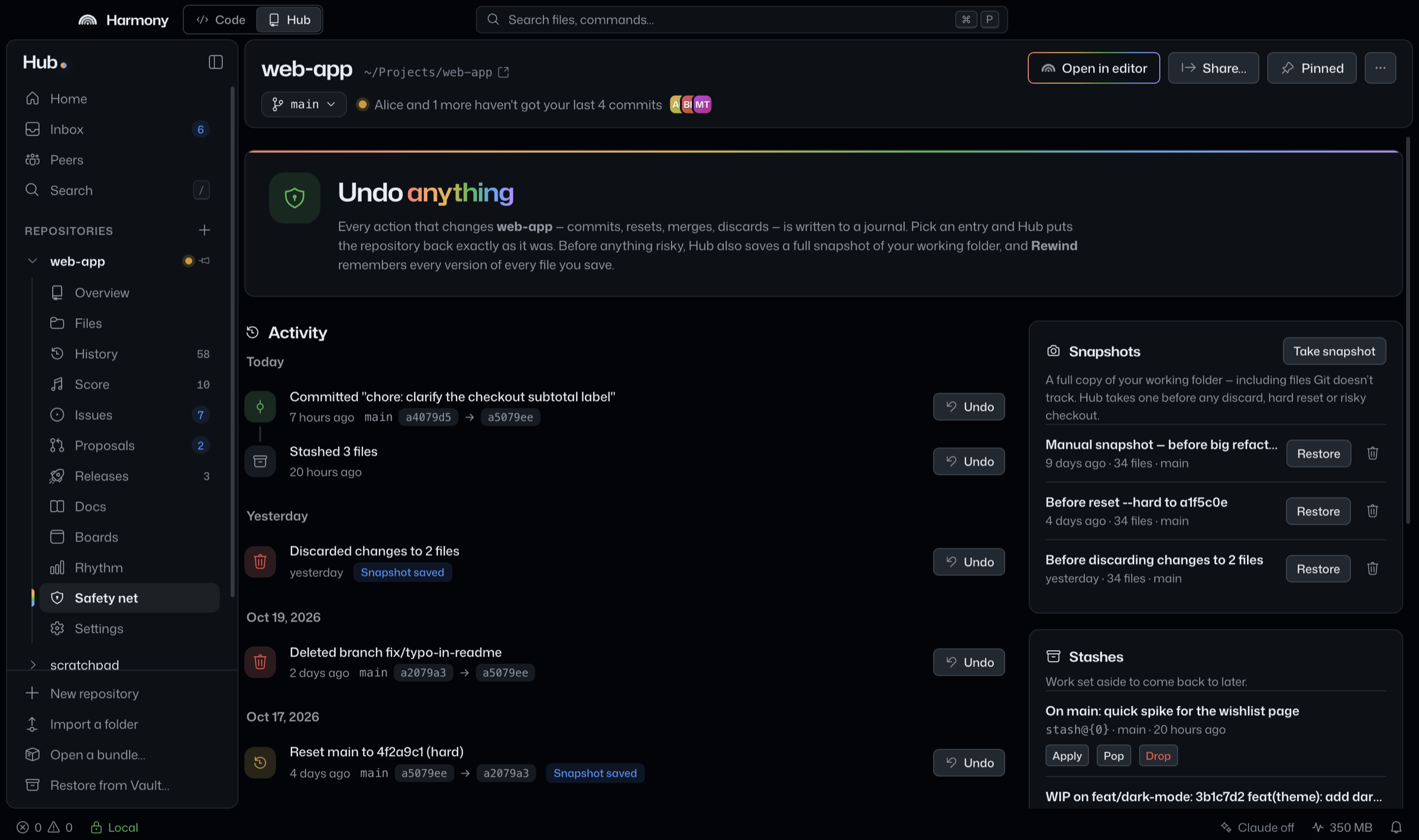
Undo anything.
Harmony assumes you’ll make mistakes, and makes them cheap.
-
Safety net
Every operation that changes a repository is journaled with a one-click Undo. Destructive ones take a full snapshot first.
-
Rewind
Every save is kept, 50 versions per file by default, right in the Timeline. Claude’s edits get a “before” point automatically.
-
Vault
Mirror every repository to another drive, like a USB disk. Incremental backups, restorable in a click.
Claude
Claude, when you call for it.
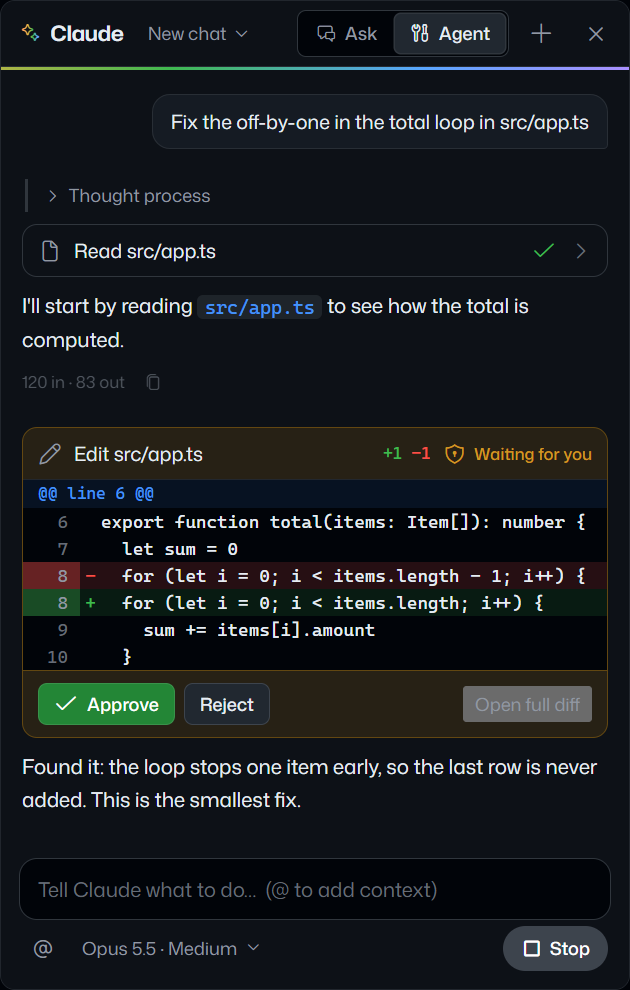
Claude is built in and switched off. Turn it on and it joins the session: answering questions about your code, editing files in agent mode with your approval, and drafting the busywork.
- Chat about any file or selection (⌘L, ⌘I)
- Agent mode that edits files, only with your approval
- Inline suggestions as you type
- One-click commit messages, proposal descriptions and reviews
- Off by default
- Nothing is sent until you switch Claude on.
- Your key, sealed
- Stored encrypted by the macOS Keychain or Windows DPAPI.
- Every request logged
- See what was sent, its size and its token counts.
- Your provider
- The Anthropic API or Amazon Bedrock.
Claude Opus 5.5 for chat and Claude Haiku 5.5 for inline suggestions, both changeable in settings.
Unison compression
An entire repository. One small file.
A .harmony bundle carries the code, its full history and the Hub (issues, proposals, reviews, docs) in a single file. Hand it over on a USB stick, AirDrop it, attach it to an email. No server, no network, nothing lost.
8.4 times
smaller than git bundle for the full history of Vue core: 7,231 commits, from 35.3 MB of .git folder to a 3.9 MB .harmony file.
Each group is scaled to its own .git folder. “× smaller” compares .harmony with git bundle --all.
| Repository | Commits | .git folder | git bundle --all | .harmony | .harmony compared with git bundle |
|---|---|---|---|---|---|
| vue core | 7,231 | 35.3 MB | 33.1 MB | 3.9 MB | 8.4 times smaller |
| express | 6,182 | 10.5 MB | 9.5 MB | 2.7 MB | 3.5 times smaller |
| requests | 6,495 | 13.5 MB | 12.6 MB | 6.3 MB | 2.0 times smaller |
Full histories of real open-source projects, measured on an M-series Mac. requests shrinks least: the images and test data in its history barely compress.
How Unison works, in three movements
-
The Lexicon
Harmony ships with a built-in lexicon of the most common lines of code. Bundles never carry them.
-
In unison
Every distinct line that ever existed is stored exactly once. Each version of a file is an edit script over line IDs, newest first, so history costs almost nothing and the latest code reads on its own. Folder trees aren’t stored at all; they’re rebuilt exactly.
-
The Harmonic Coder
A context-mixing compressor tuned for source code packs the result on every core, typically 25 to 30% smaller than brotli or xz.
- Byte-exact
- Every Git object rebuilt exactly.
git fsckstays clean. - Incremental
- Send a colleague only what they don’t have yet.
- Encrypted
- Optional password protection with AES-256-GCM.
- Mergeable
- Diverged work arrives as a proposal, and every import undoes in one click.

In music, unison is many voices on a single note. In Harmony, it’s every copy of a line, stored as one.
Where Harmony plays best
Made for rooms the cloud can’t reach.
-
Air-gapped and regulated teams
Defense, healthcare, finance, research labs: get reviews, issues and releases on machines that never touch the internet.
-
Two people, zero servers
Pair with a colleague across the desk or across the world. Send an incremental bundle, and diverged work arrives as a proposal to review.
-
Coding on the move
Planes, trains, field sites. The whole forge travels with you, so a missing Wi-Fi signal never blocks a review.
-
Classrooms and workshops
Hand out a repository with starter code, issues and docs on a USB stick. Collect the work back the same way.
-
Client handoffs
Deliver a project with its complete history and the conversations behind it, in one password-protected file.
-
The privacy-minded developer
AI on your terms: off until you enable it, with every request logged. The extension registry stays off until you switch it on, too.
The harmony command
Conduct from the terminal.
The harmony command opens files and drives the Hub, the way code does for VS Code. It runs Harmony’s own engine, so it needs no Git and no Node. While Harmony is open, the editor and the Hub update live.
$ harmony .                          # open this folder
$ harmony -g src/app.ts:42:7         # jump to a line and column
$ harmony init                       # first commit, added to the Hub
$ harmony commit -m "Fix the cart"
$ harmony share -o web-app.harmony   # the whole repo, one file
$ harmony receive web-app.harmony    # and back again
Stays on your machine
- The Hub engine contains no network code.
- Claude stays off until you turn it on.
- The extension registry stays off until you switch it on.
- Harmony warns you when a repository sits in iCloud Drive, OneDrive, Dropbox or Google Drive.
Coda
Take it from the top.
Download Harmony, open a folder, and everything else is already here.